A private walkthrough
Readystead Neighbors, page by page.
For Michelle Gamble, Rental Housing Magazine, East Bay Rental Housing Association. A first look at how neighbors — including land and property owners — build hyperlocal resilience, and stand ready for one another.
This is an early, invite-only alpha. Word of mouth. A waitlist and invite-review model. The screens below are from the live private test. Some listings, ZIPs, and event pictures are sample or demo data, not real neighbors. Your own invite is at the last step.
- 01 Why this exists
- 02 The front door
- 03 You’re in as a guest
- 04 Create your account
- 05 A voice walkthrough
- 06 The Neighbors board
- 07 A listing, and a message
- 08 Household inventory
- 09 Events — together, for real
- 10 Radar, reports, and a helper
- 11 The Paul Revere program
- 12 Your invite
Short spoken guide
About one minute fifty seconds. A stock guide voice (Rachel), not Randall’s. Clips also sit at the start of steps 01, 02, 03, 04, 11, and 12. There is no spoken guide for steps 05–10.
Why this existsThe ethos, and a short history
Guide voice · 8 seconds
Michelle, thank you for looking. Before the screens, I want you to know why this system is here.
It started about twenty years ago in Portland, Oregon, as Bright Neighbor. It grew to over 7,500 users. Neighbors listed what they could share or trade, found local events and resources, and looked out for one another. In 2009, the City of Portland became the first paying customer, so neighborhood associations in North Portland could offer residents lending, skill trades, ride shares, and gatherings.
Then Nextdoor came out, and Bright Neighbor ended.
The need did not. People still want to know who is on their block when the power goes out, when a fire is close, or when a property owner has to get timely word to the people who live on the land. Ring lets folks do some neighbor things — a camera, a ding, a short message. There is no real community organizing in that kind of minimal technology.
Readystead Neighbors is different. It is a return to what Bright Neighbor was built to do: get people together for real. Hyperlocal assistance. Trading and lending. Community activities. Preparedness that starts at home and reaches the people within about three miles of you.
The constitutional piece is plain, and it is not a slogan. A free people have a right to associate with their neighbors, to prepare their own property, and to rely on one another instead of waiting for someone who may not come. Self-reliance is a household habit. Free association is how you choose your circle. Property rights are why a landowner or a landlord can ready a building and still owe clear, timely word to the people who live there. Lawful preparedness at home is a personal matter. This network is for mutual aid — tools, skills, water, food storage, first-aid training, gatherings, and alerts. We do not list firearms or ammunition. Those stay off the board.
The front doorYour invite link, then Come in
Guide voice · 15 seconds
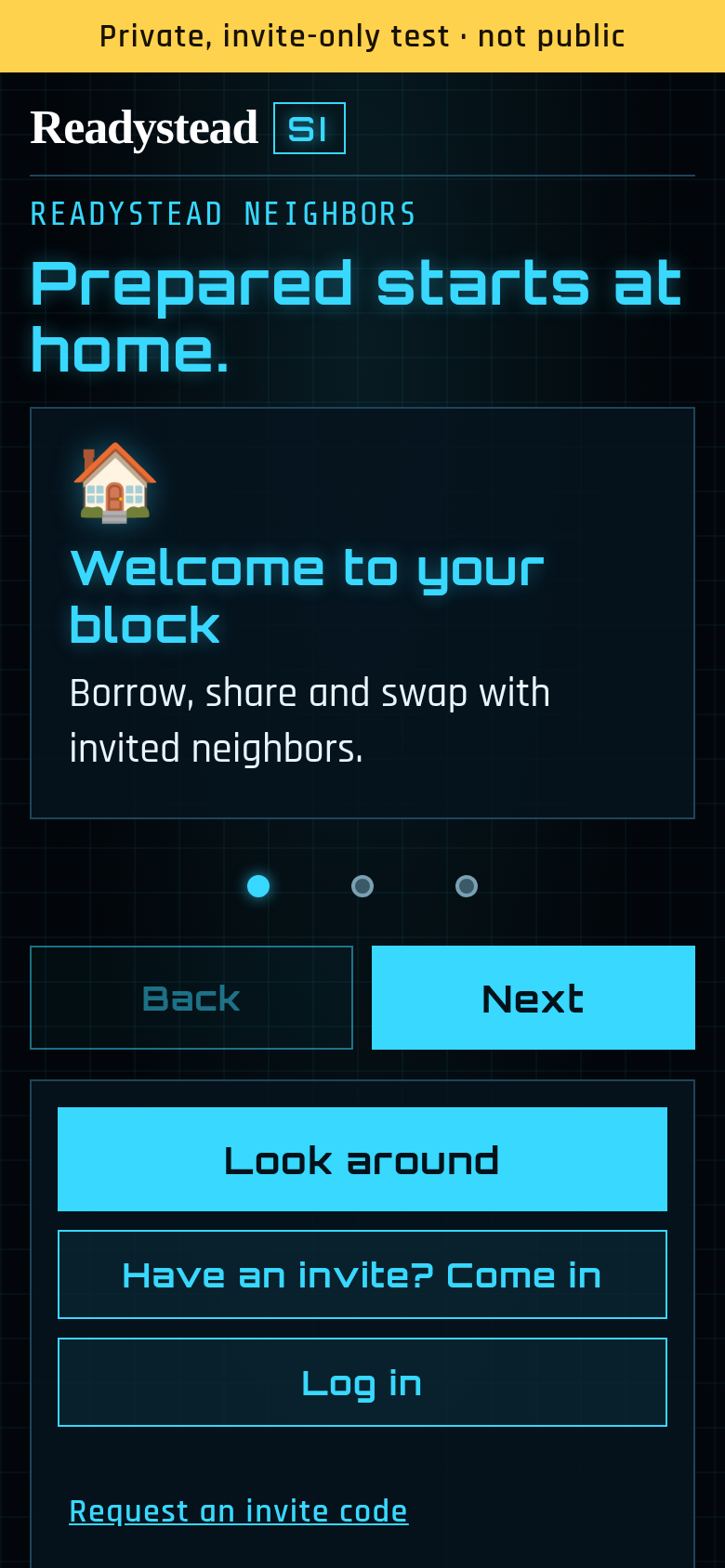
What it does
Open your invite link and the code is already filled in. This invite already has ZIP 94612, so the form may offer “Use a different ZIP” if you need to change it. Then tap Come in. That is the button. There isn’t a “Join the test” button on this path.
Why it matters for hyperlocal resilience
A property owner’s plan is only as strong as the people who can actually reach each other. This is not an open bulletin for the whole internet. Early testers come in by invitation, so the room stays a real neighborhood, not a crowd of strangers.
Standing for the right to associate
You choose to walk in. You are not scraped into a public map. Free association starts with a door you open on purpose.
You’re in as a guestLook around right away
Guide voice · 10 seconds
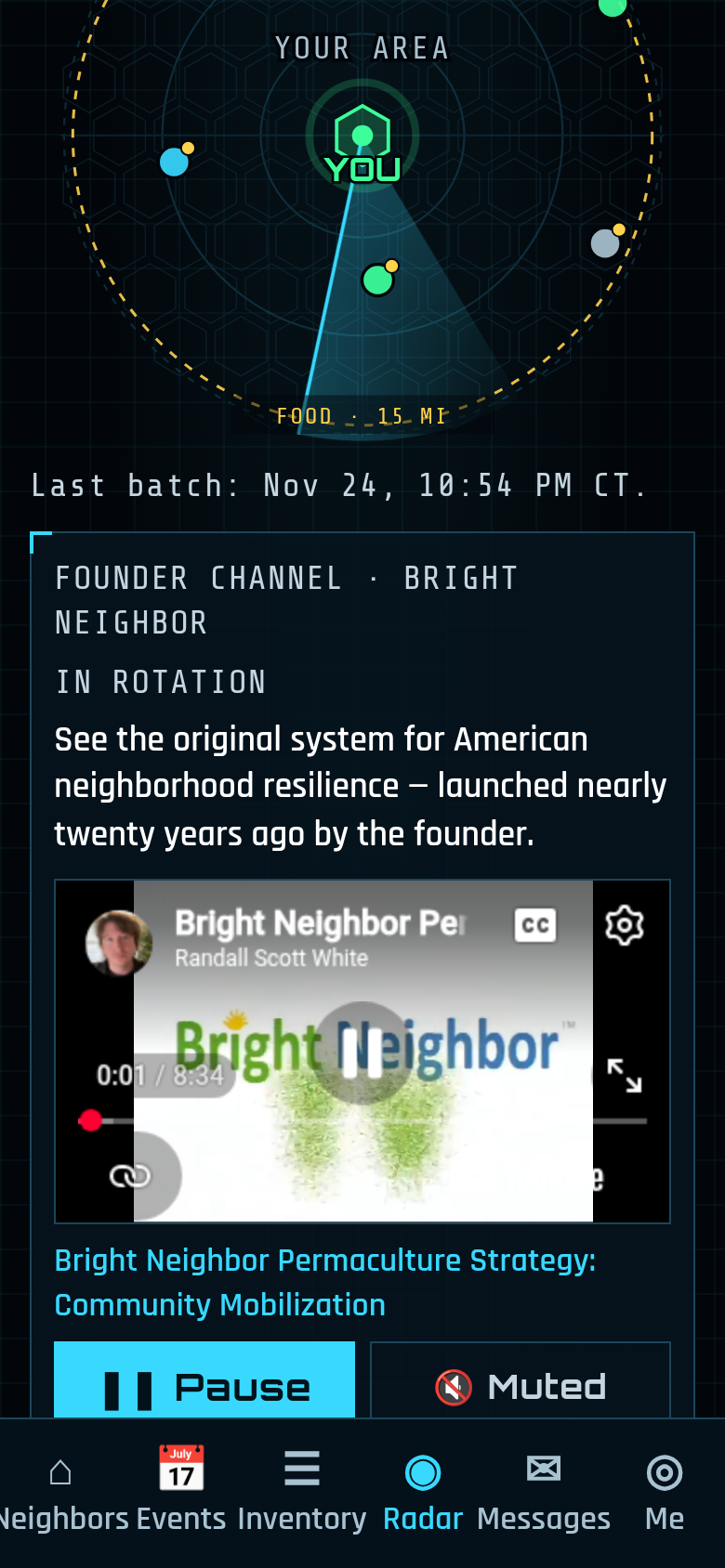
What it does
A valid invite puts you in right away as a guest. You can look around: the radar, the Neighbors board, inventory, events, and messages, within about three miles, for skills, borrowing, and get-togethers. Creating an account does not block that first look.
Joining does not make you an organizer, and it does not let you stand up your own neighborhood. This is a first look.
Why it matters for hyperlocal resilience
You should be able to see whether help, skills, and gatherings exist nearby before you spend time on a login. For a landlord or a landowner, that first look is the question: is anyone on this block already organizing?
Association without a title
You can be present in the neighborhood without being put in charge of it. That’s by design.
Create your accountNext, a separate step in Me or living-area settings
Guide voice · 23 seconds
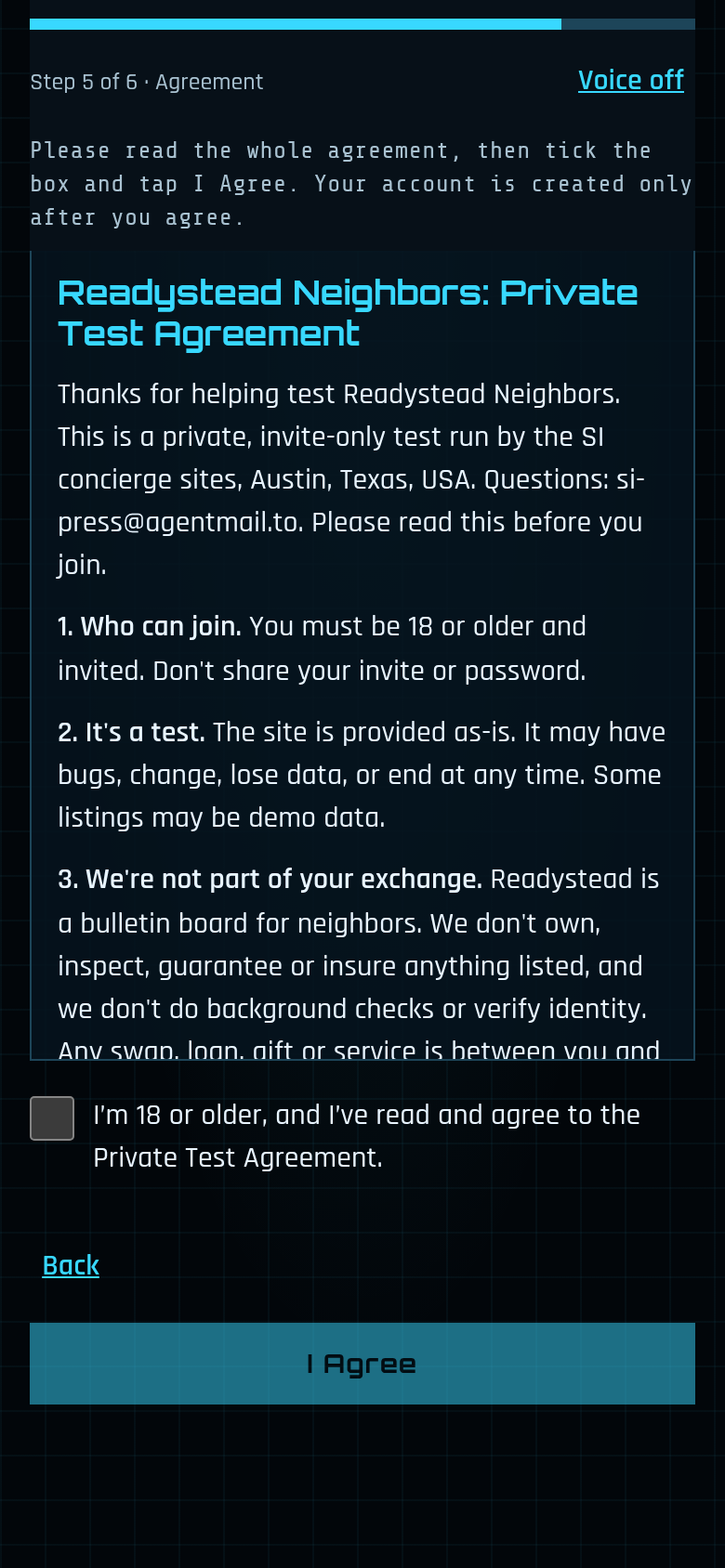
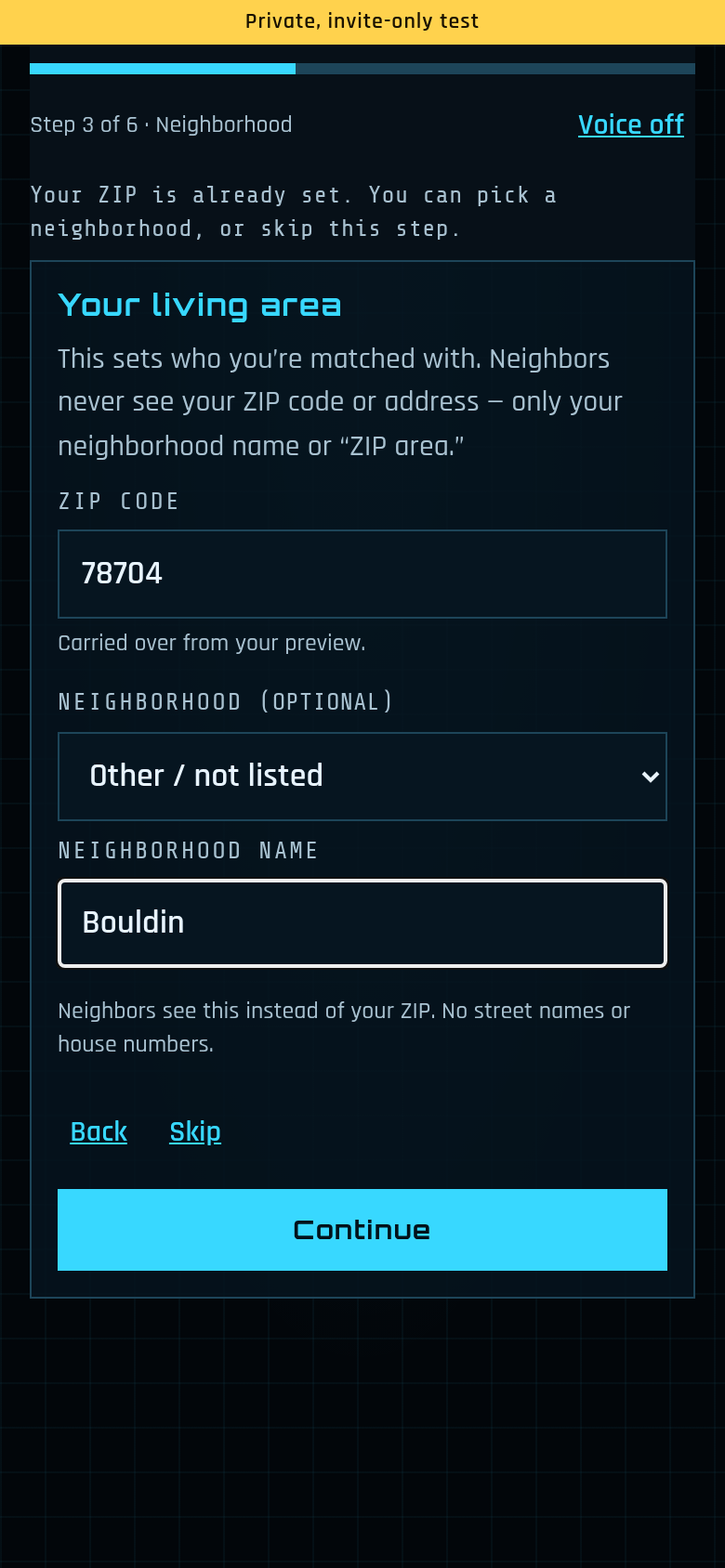
What it does
When you’re ready, create your login: a display name, email, and password. Agree to the private test agreement, then tap Create account. That form is only for your login. Your living area is a separate step after that, in living-area settings or later under Me — not on the Create account form, and not in the guest popup, which has no neighborhood field. There, ZIP is required and neighborhood name is optional. Neighbors never see your ZIP or address — only the neighborhood name or “ZIP area.” You can skip the neighborhood name.
The agreement is plain: you must be 18, the site is provided as-is, and Readystead is a bulletin board. We don’t own, inspect, guarantee, or insure what neighbors list, and we don’t do background checks or verify identity.
Why it matters for hyperlocal resilience
You need enough place information to find help on your block, and not so much that a building’s exact address becomes a public record in the app. That balance matters when you are responsible for a property and for the people in it.
Property rights, in practice
Your property is yours. The network does not take a street address to let you participate. You decide how much of your place is ever shared.
A voice walkthroughOptional skills onboarding
What it does
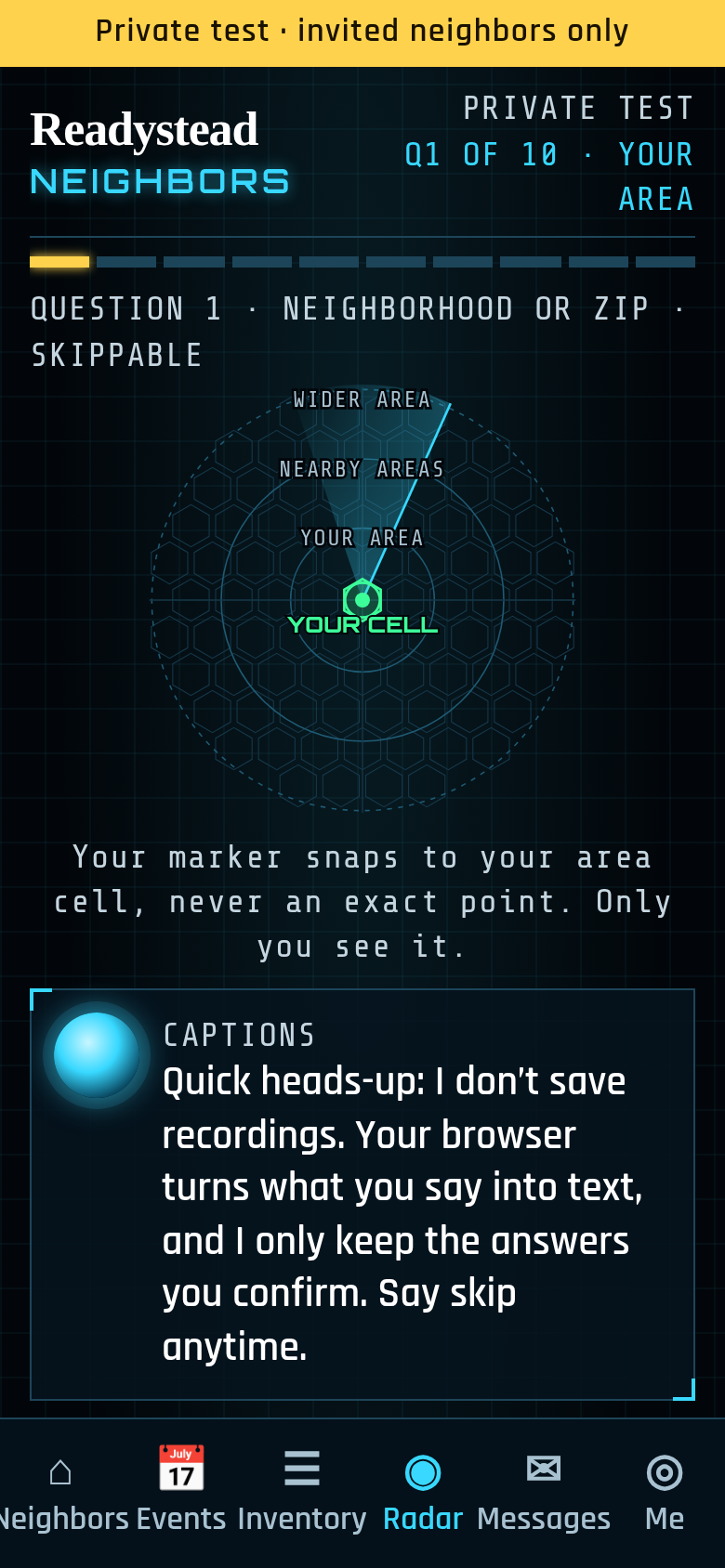
After you come in, an optional walkthrough can ask about skills and how you like to help — teach, help, trade, or a mix. You can answer by voice or by tapping, and you can skip any question. If you use voice, your browser turns speech into text. We do not record or keep your voice, only the answers you confirm. The last question offers the Paul Revere program; only a clear yes opts you in, and you can leave later.
Why it matters for hyperlocal resilience
A preparedness plan is not only a kit. It is knowing who nearby can run a generator safely, who is first-aid trained, who can can food, or who will lend a tool. The walkthrough gets those facts into a profile you control.
Self-reliance, shared on purpose
You decide what you offer. Skills can be visible more widely, or only to a trusted circle. That is association by consent, not a public résumé against your will.
The Neighbors boardHave, need, lend, swap, and share
What it does
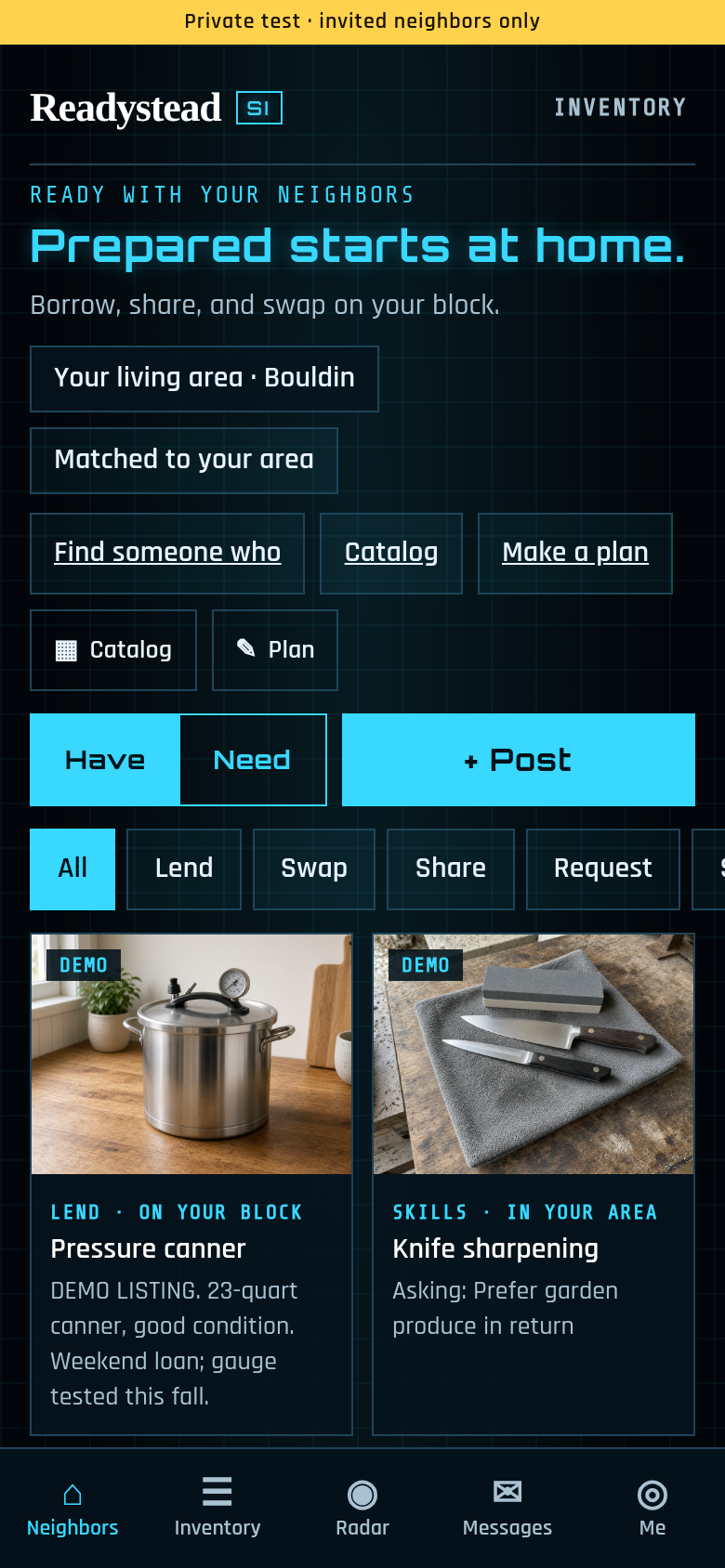
This is the living board. Neighbors post what they have or need: lend, swap, share, request, skills, and meals. You can keep a post to your block, your wider area, or a trusted circle. Meals are free to give or share only — no charging, tips, or donations. Borrowing has a plain rule: inspect before use, return it on time in the same condition, and describe condition honestly.
Why it matters for hyperlocal resilience
When a storm, a fire watch, or a long outage hits, the difference is often a ladder, a radio, a pressure canner, or a neighbor who can sharpen a blade or share a meal. The board is how those things move across a block without a warehouse in the middle. For a property owner, it is also how you find hands and tools close by, instead of waiting on a stretched supply chain.
Mutual aid, not a marketplace of last resort
This is neighbors helping neighbors. We don’t list housing or job posts, and we don’t list firearms, ammunition, fuel, medicines, or other banned items. The board stays useful because it stays limited.
A listing, and a messageBorrow, write, and meet in public
What it does
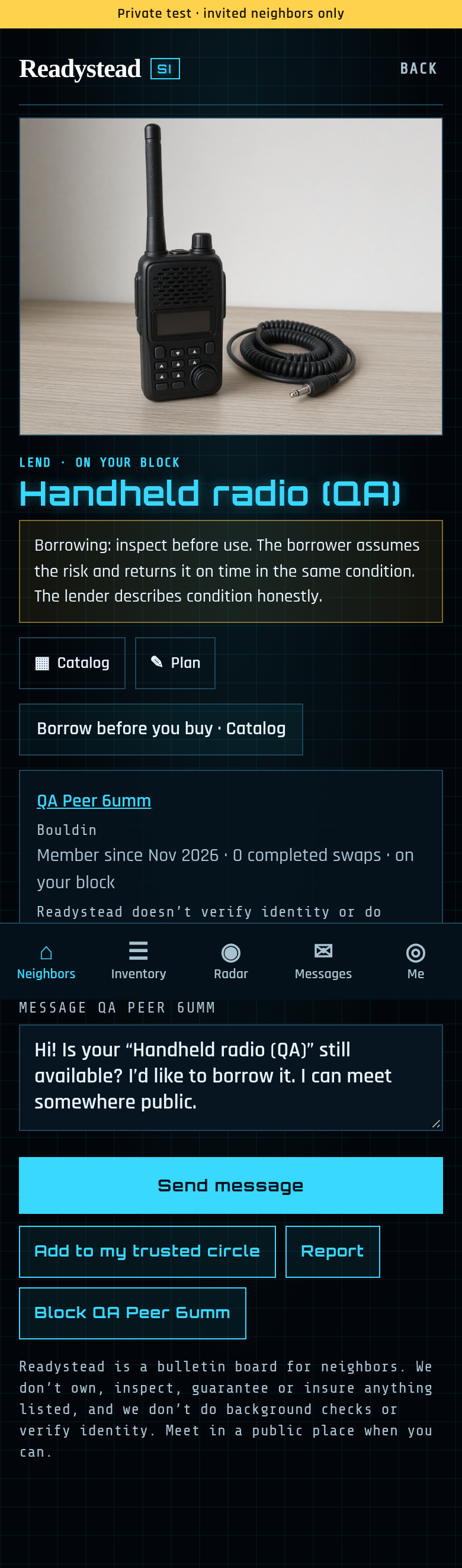
Open a listing and you can write the neighbor, add them to a trusted circle, report a problem, or block. The site reminds you that Readystead does not verify identity, and that you should meet in a public place when you can. Conversations stay inside the app.
Why it matters for hyperlocal resilience
A plan that says “communicate during an emergency” needs a channel that already works on a quiet Tuesday. Messages and a trusted circle are that channel. A handheld radio on a listing is a small example of the larger idea: communications gear and neighbor contact, practiced before you need them.
Association you can revoke
You can add someone, and you can remove, report, or block them. Free association includes the right to walk away.
Household inventoryPrivate until you choose to list it
What it does
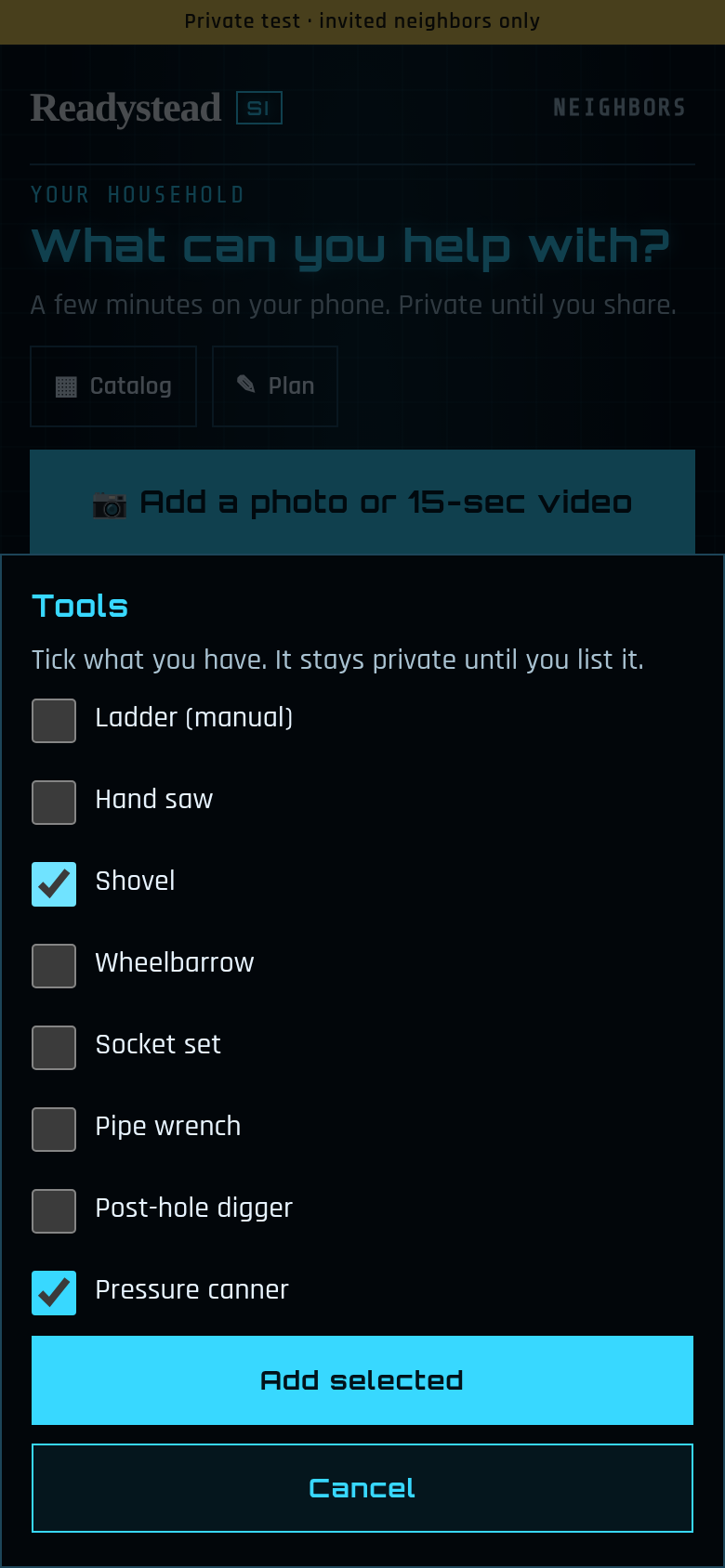
Inventory is a private household list first. You can tick checklists, type what you have, or add a photo or a short video. You choose, item by item, whether it is visible to your block, your area, or only a trusted circle — and whether you will lend, swap, share, or offer it as a skill. Nothing from firearms or defense catalogs is offered here.
Why it matters for hyperlocal resilience
Earthquake, wildfire, flood, and a long outage are the events a Bay Area property owner has to plan for. Water jugs, filters, battery lanterns, extension cords, first-aid training, and a licensed ham or GMRS operator are the unglamorous parts of that plan. Inventory is how a household sees what it already has, and how a block discovers what can be borrowed before anyone makes a panic purchase.
Preparedness at home
Self-reliance starts with knowing what is already on your property. Sharing it is a separate, later choice. Lawful preparedness in the home stays a personal matter; this board is for the mutual-aid layer around it.
Events — together, for realHost or drop in, about three miles out
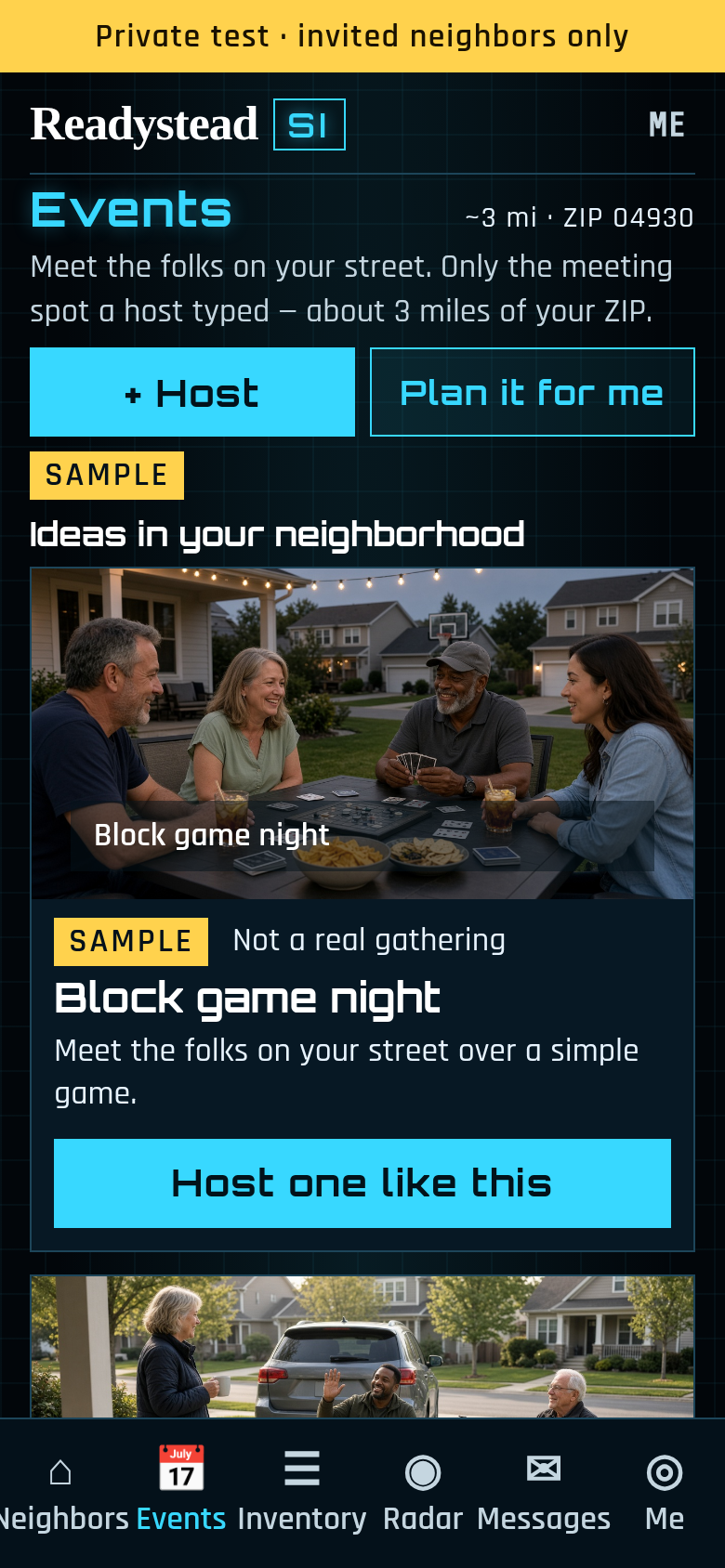
What it does
Events are how the system gets people in the same place: a game night, a skill share, a community dinner, a fix-it Saturday. You can host, or ask the app to help you plan one. Only the meeting spot the host types is shown, and only within about three miles of your ZIP. Neighbors can say they’re going, claim a thing to bring, or just drop in.
Why it matters for hyperlocal resilience
You cannot build a response network in the hour a fire or a flood starts. You build it when people have already stood in a driveway together. For a property owner, a regular gathering on the block is also how renters and owners meet before anyone has to send an emergency notice.
The right to assemble, close to home
This is peaceable assembly in its ordinary form: neighbors choosing to get together, on purpose, near where they live.
Radar, reports, and a helperSkills nearby, area facts, questions
What it does
Radar shows skills in your area, without turning neighbors into pins on a public street map. Beside it, a channel plays the original Bright Neighbor work, so the history stays in the product, not only in a press note. From here you can open area reports: public hazard ratings from the FEMA National Risk Index, plus National Weather Service forecasts and official alerts for the area. Those reports are for planning, not a prediction, and they are not an emergency-alert service. Call 911 in an emergency and follow official alerts.
On the same screen, “Ask your neighborhood” is a helper you can type or talk to. It can point you to what’s already on the board, and to public facts for the area. You can turn the voice off and use captions.
Why it matters for hyperlocal resilience
A property-owner plan should start with the unique risks of the place — earthquake, wildfire, flood, heat, wind — and with a way to brief people in plain language. Area reports put the public risk picture next to the neighbor network. The helper is there so a new host, a new owner, or a new renter can ask a question without hunting through menus in a stressful hour.
Informed stewards of property
Knowing the risks on your land, and having neighbors who know them too, is part of responsible ownership. The data is public. The community around it is voluntary.
The Paul Revere programFrom Me, after you create an account
Guide voice · 47 seconds
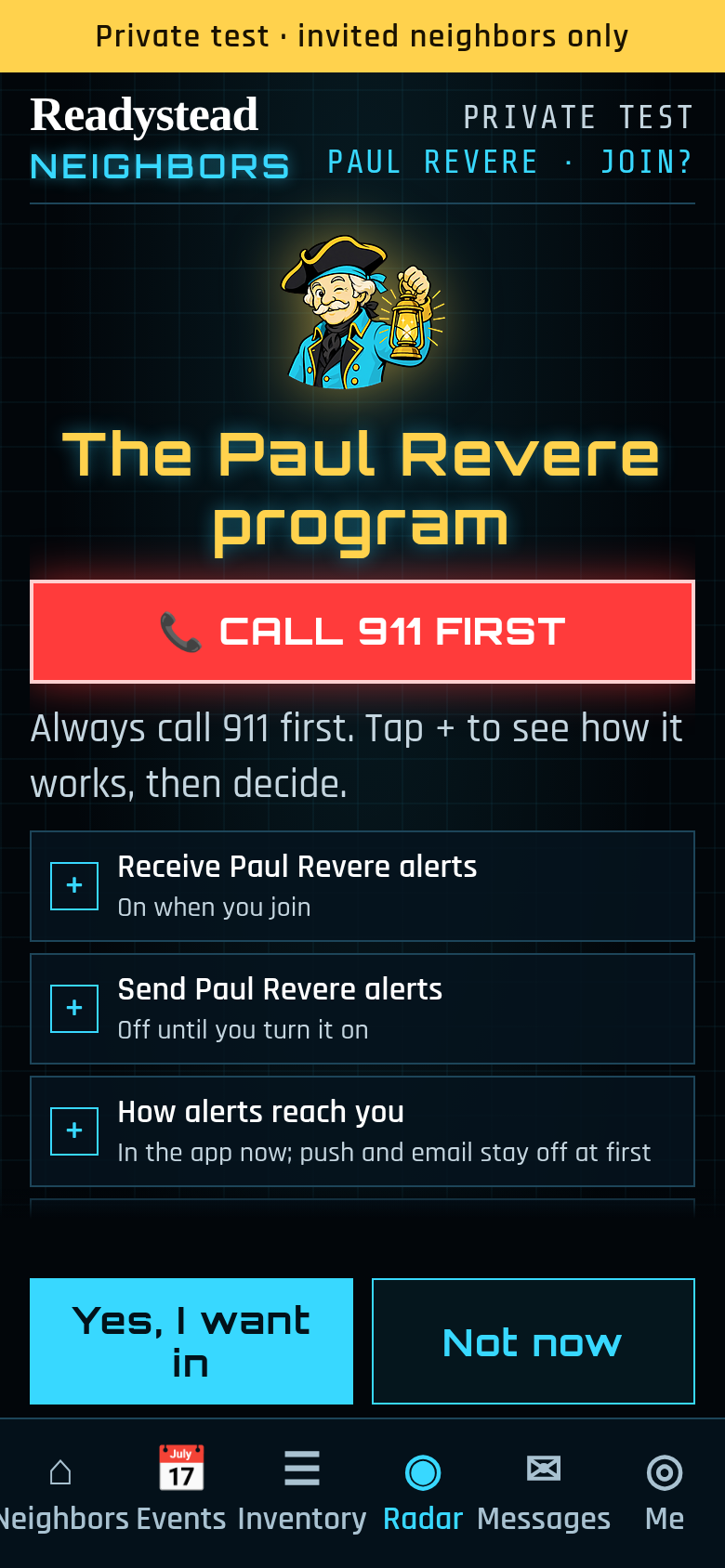
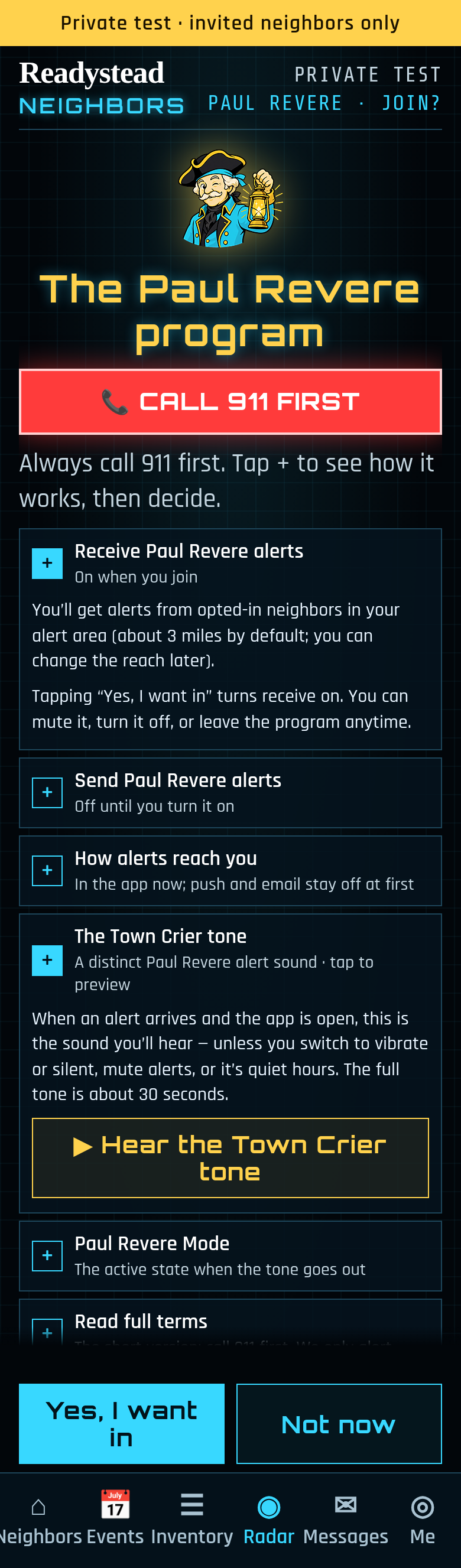
What it does
On the Me screen, open the Paul Revere program. It is how neighbors opt in to look out for each other, and a way for owners to help keep renters informed. Preview the Town Crier tone, then tap Yes, I want in. Receiving turns on. Sending stays off until you turn it on, so an alert cannot go out by accident.
Always call 911 first. We only alert. Paul Revere Mode is the active alert: the Town Crier tone plays, and the alert takes over the screen. Alerts reach opted-in neighbors about three miles away by default, up to three a day and one every ten minutes. Quiet hours default to 10 PM–6 AM Central Time (America/Chicago), and you can change the reach and the quiet hours. Push and email stay off until you enable them. Email, when used, is a generic line plus a link — never an address — with one-click unsubscribe. Knowingly false alerts are banned and may be a crime. You can mute alerts, turn the program off, or leave it at any time.
Why it matters for hyperlocal resilience
Your query asked how property owners keep renters informed before, during, and after an emergency, and how they coordinate a swift response. Official channels come first: 911, the fire department, the weather service. Paul Revere is the neighbor layer after that — a way for people who already opted in, within a short radius, to hear that something is wrong nearby. It is not a substitute for notifying emergency responders, insurers, or maintenance, and it is not a public address system for a whole city.
Looking out for one another
This is the old American habit in a new tool: warn your neighbors, after you have called for help. Participation is voluntary.
Your inviteA first look, on us
Guide voice · 6 seconds
Michelle, this invite is for you, so you can walk the live app yourself. It is single-use. Please don’t share it. Joining lets you come in and look around. It does not make you an organizer of a neighborhood.
Invite code
RN-75S9-Y3N2-HJLW
Invite link
https://neighbors.readystead.si/enter
Expires
Saturday, December 26, 2026, at 9:12 AM Central Time (America/Chicago).
ZIP on this invite
94612, so preview and matching start in the East Bay. The form may offer “Use a different ZIP” if you need to change it.
How to come in
1. Open the invite link. Your code is already filled in.
2. ZIP 94612 is already on the invite. Keep it, or tap “Use a different ZIP.”
3. Tap Come in. You’re a guest right away and can look around.
4. When you’re ready, enter a display name, email, and password, agree to the private test agreement, and tap Create account.
5. After your account exists, open living-area or Me settings and set your living area there (ZIP and an optional neighborhood name). That is not part of the Create account form. The guest popup has no neighborhood field.
6. On the Me screen, open the Paul Revere program. Preview the Town Crier tone, then tap “Yes, I want in.” Receiving turns on; sending stays off.
The live test is at neighbors.readystead.si. It is still a private alpha. If something is rough, that’s the truth of an early build, and I’d rather you see it than a slide deck.
If you want to talk after you’ve looked, write me back through the same HARO thread, or ask and I’ll make time.
— Randall Scott White, founder, Readystead Neighbors